Practical IT Help & Computer Troubleshooting in Newburyport, MA
I fix the real tech problems people face every day. From slow computers to checkout glitches, I make your technology work the way it should in Newburyport.
Straightforward Computer & IT Repairs for Newburyport, MA Homes and Shops
From slow laptops to printers that won’t print and registers that keep disconnecting, everyday tech problems add up fast. My practical IT help and computer troubleshooting in Newburyport, MA give homes, downtown shops, and small offices one dependable person to call for all of it. I fix what’s actually broken, explain it clearly, and skip the unnecessary upsells.My services cover computer repair, Dell desktop support and Windows 11 upgrades, printer and UPS setup, POS support, home office networks, and small office software consulting. Every job comes with an upfront quote and a fix you can rely on. Call today for practical IT help in Newburyport. Printer trouble and battery backup fall under Printer & UPS Setup.
With 40+ years of experience, I’ve seen the issues people face daily and know how to fix them without wasting time.
No Overcomplicated Solutions
Unnecessary upgrades are never part of my recommendations. I fix what’s needed and keep things simple, with no extra cost or confusion.
Quick Response When It Matters
When something breaks, you need it fixed fast. My focus is getting things back to normal as soon as possible.
Services Built for Everyday Tech Problems
I focus on the everyday tech issues people actually face, using simple solutions that improve performance without making things complicated.
IT Services & Computer Repair
Slow or freezing computers waste time. I fix performance issues so your system runs smoothly without constant errors or delays.
Printer & UPS Setup
Printer won’t print or power keeps flickering? I set up printers and UPS backups that keep working when you need them.
POS Network Support
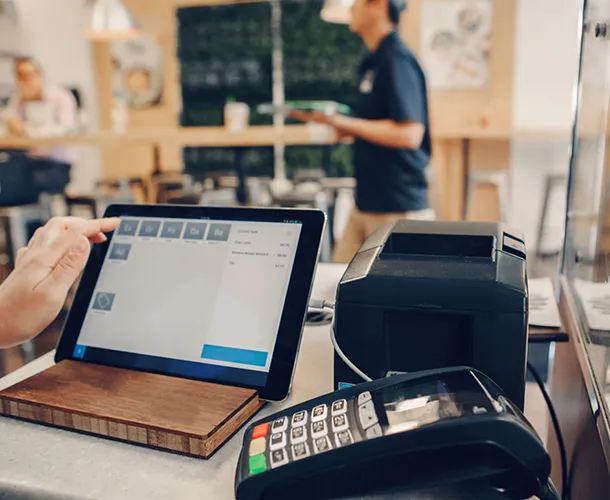
If your register disconnects mid-sale, I find the cause and keep your checkout stable all day.
Dell Desktop Support
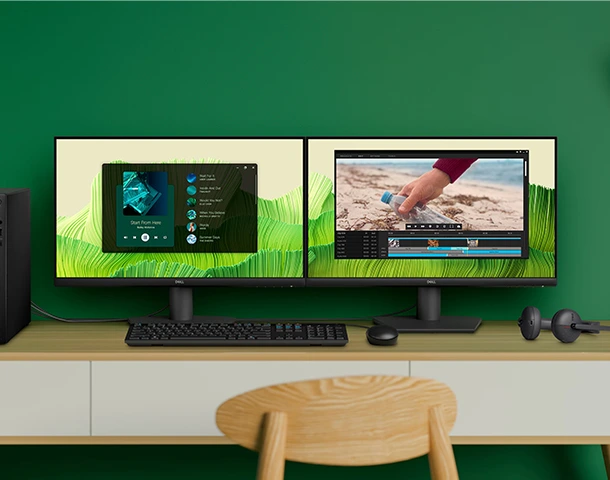
Dell running slow or stuck on Windows 10? My Dell support handles repairs, upgrades, and the move to Windows 11.
Home Office Network Setup
Sharing a connection with another remote worker? I set up home office networks that keep both of your workdays steady.
Small Office IT Consulting
Not sure which software or cloud tools fit your office? My practical consulting points you to the right choice.
Email, Software & Account Troubleshooting in Newburyport
Some of the most frustrating computer problems have nothing to do with hardware. Email that won’t send, programs that crash on startup, forgotten passwords, and accounts that suddenly stop syncing can stall your day just as badly as a broken machine. My IT services in Newburyport, MA cover these everyday software headaches for homes and small offices.I sort out email setup in Outlook and other mail programs, repair or reinstall misbehaving software, and help you regain access to locked accounts the right way. Many times the issue isn’t obvious, but I know where to look. Along the way, I check for malware and pending updates that could cause the same trouble again. Hardware care for the same machine comes under Dell Desktop Support.
I keep things simple and practical: understand your issue first, then fix it properly without unnecessary steps or delays.
01
Listen and Identify the Issue
I start by understanding what’s actually going wrong instead of guessing, so the solution fixes the real problem.
02
Check Your Current Setup
Next, I review your computers, devices, and settings to find the weak points behind slow performance or errors.
03
Fix and Optimize Everything
Then I repair, adjust, or install what’s needed so everything works together smoothly.
Dell Desktop Windows 11 Upgrades in Newburyport
Microsoft ended mainstream support for Windows 10 in October 2025, so older Dell desktops still running it are no longer getting regular security updates. My Dell desktop support in Newburyport, MA helps you move to Windows 11 safely, or decide whether a replacement makes more sense. Running an unsupported system leaves your files and accounts more exposed every month.
I start by checking whether your Dell meets Windows 11’s requirements, including TPM 2.0 and a supported processor. Many OptiPlex and Inspiron models from recent years qualify, and some only need a setting turned on in the BIOS. When a machine qualifies, I back up your important files, complete the upgrade, and make sure your programs and printers still work afterward. When several office computers need the move at once, my Small Office IT Consulting sets the order and the budget.
When your POS system freezes or drops its connection in the middle of a sale, customers wait and you lose time and money. Shops and service counters around downtown Newburyport depend on checkouts that stay connected through every busy afternoon. My POS network support in Newburyport, MA targets the root causes of random disconnects, so problems stop coming back.Random disconnects usually trace back to a few culprits: devices fighting over the same network address, power-saving settings that put card readers to sleep, overloaded routers, or outdated firmware. I test each one in your setup, fix the real cause, and document the settings so the problem stays solved. Even a few minutes of downtime matters, which is why I focus on dependable fixes rather than temporary ones. The PC running your POS software is covered under IT Services & Computer Repair.
Small Office Software & Cloud Tools Consulting in Newburyport
Most small offices don’t need complicated IT systems, but they do need the right software. Choosing between email platforms, file-sharing tools, and business apps can feel overwhelming, and the wrong pick wastes money every month. My small office IT consulting in Newburyport, MA helps you choose tools that fit how your team actually works.I look at what you’re currently using, where it’s slowing you down, and which features you truly need. From there, I recommend practical options such as Microsoft 365 or Google Workspace, set them up, and show your team how to use them with confidence. Expensive changes only make my list when they genuinely pay off. Full details of every service are on dcscomputingservices.com.
For over 40 years, I’ve helped people fix everyday computer problems with simple, reliable, practical solutions. Today, through DC’s Computing Services, I bring that same hands-on approach to Newburyport homes and businesses. More about how I work is on About Us.
Two remote workers can easily overload a home connection, especially if settings don’t prioritize work traffic. I adjust your router so both of you get steady performance during calls.
In most cases. I find out what’s dragging it down, whether that’s a full drive, malware, or aging hardware, and fix that specific problem. Only if repairs would cost more than the computer is worth will I suggest replacing it.
It’s usually one of a handful of issues: network address conflicts, power-saving settings on card readers, overloaded routers, or outdated firmware. I test for each one and fix the actual cause.
It depends on the processor and whether the computer has TPM 2.0. I can check your Dell, turn on any needed BIOS settings, and complete the upgrade, or tell you honestly if it doesn’t qualify.
It depends on your team’s size, budget, and how you share files. I compare the realistic options for your office, then set up the one that fits best.
Services Areas
North Hampton NH
Portsmouth, NH
Dover, NH
Exeter, NH
Manchester, NH
Newburyport, MA
Beverly, MA
Haverhill, MA
Rochester, NH
Salem, MA
Get Practical IT Help Today
Facing slow computers, software errors, or checkout problems? Call (603) 867-4530 or email geeemaildc@gmail.com for practical IT help that solves your problem without wasting your time. Send the details through Contact and I will come back with a quote.